Using “underdrawings” for accurate text and numbers
I discovered a technique for generating reliable text and numbers in AI-generated images.
For example, the following image is considered impossible with state of the art image models. But I made this by combining deterministic image rendering with SVG and rich image transformation with Gemini 3.0 Pro:
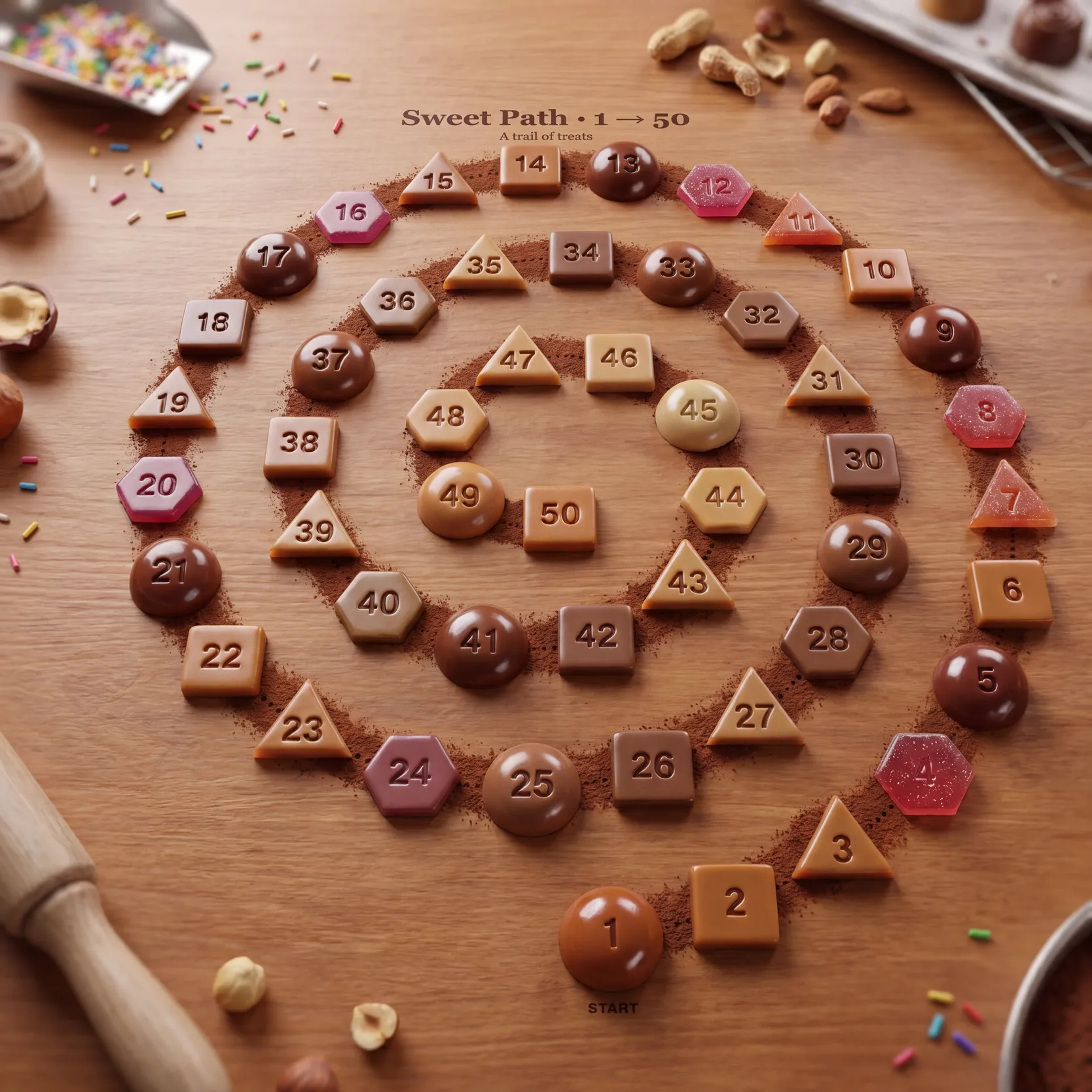
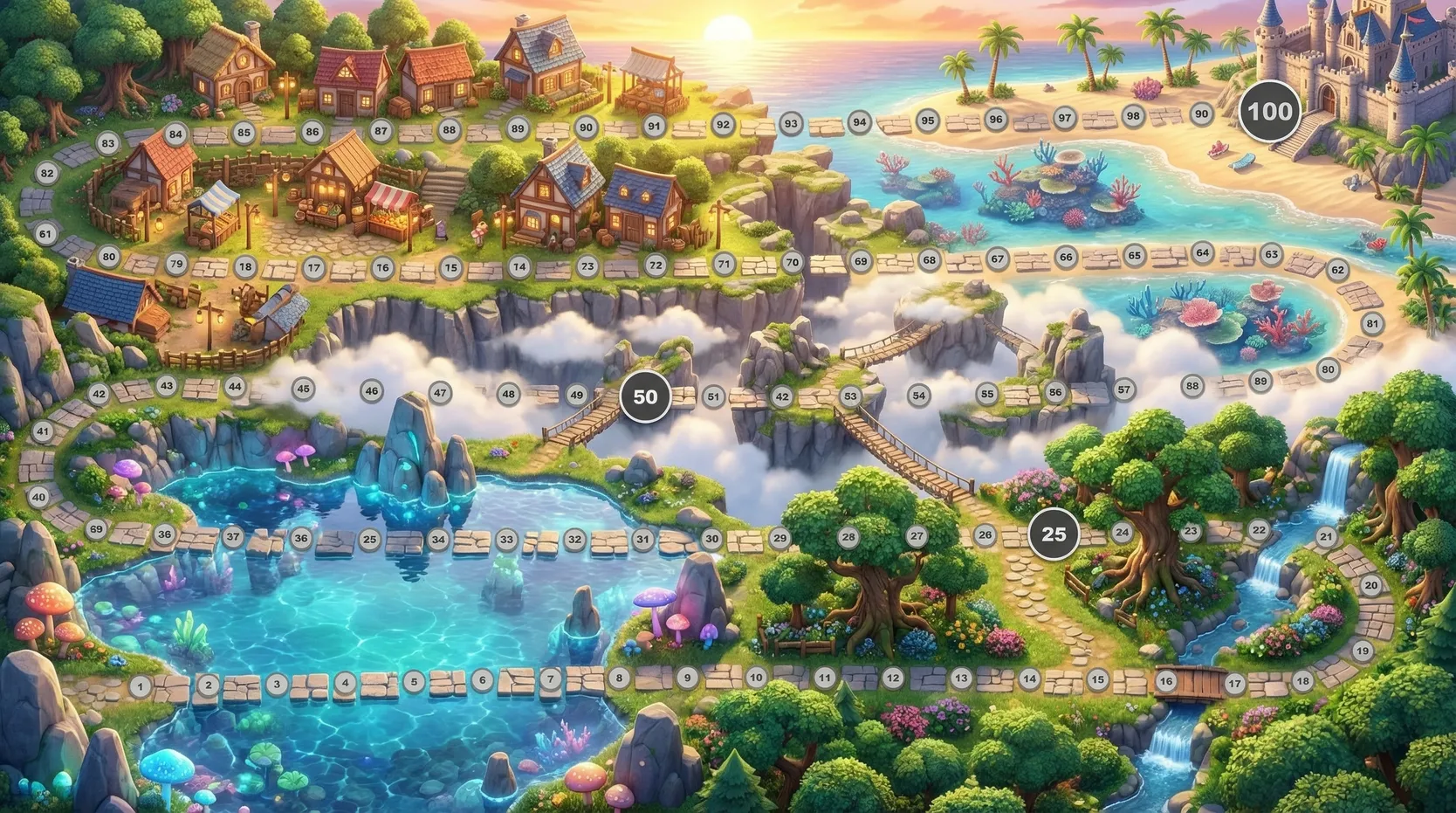
To be clear, I’m no expert - this method came out of my exploring how I could print a big, visually rich 100-step challenge board for my kid, like this:
What’s the Problem?
If you’re not familiar, here’s a simple a/b test showing the results with and without this method.
Make an image of a game board with 50 stepping stones arranged in a spiral, winding counter-clockwise inward from start at the outside (1) to finish at the centre (50). Each stone is clearly numbered consecutively from 1 to 50. Style: claymation diorama, studio-lit, candy-bright, soft bokeh background.❌ Gemini 3 Pro (without underdrawing)
As expected. Impressive at first glance but the details start to fall apart once you read the numbers more closely.
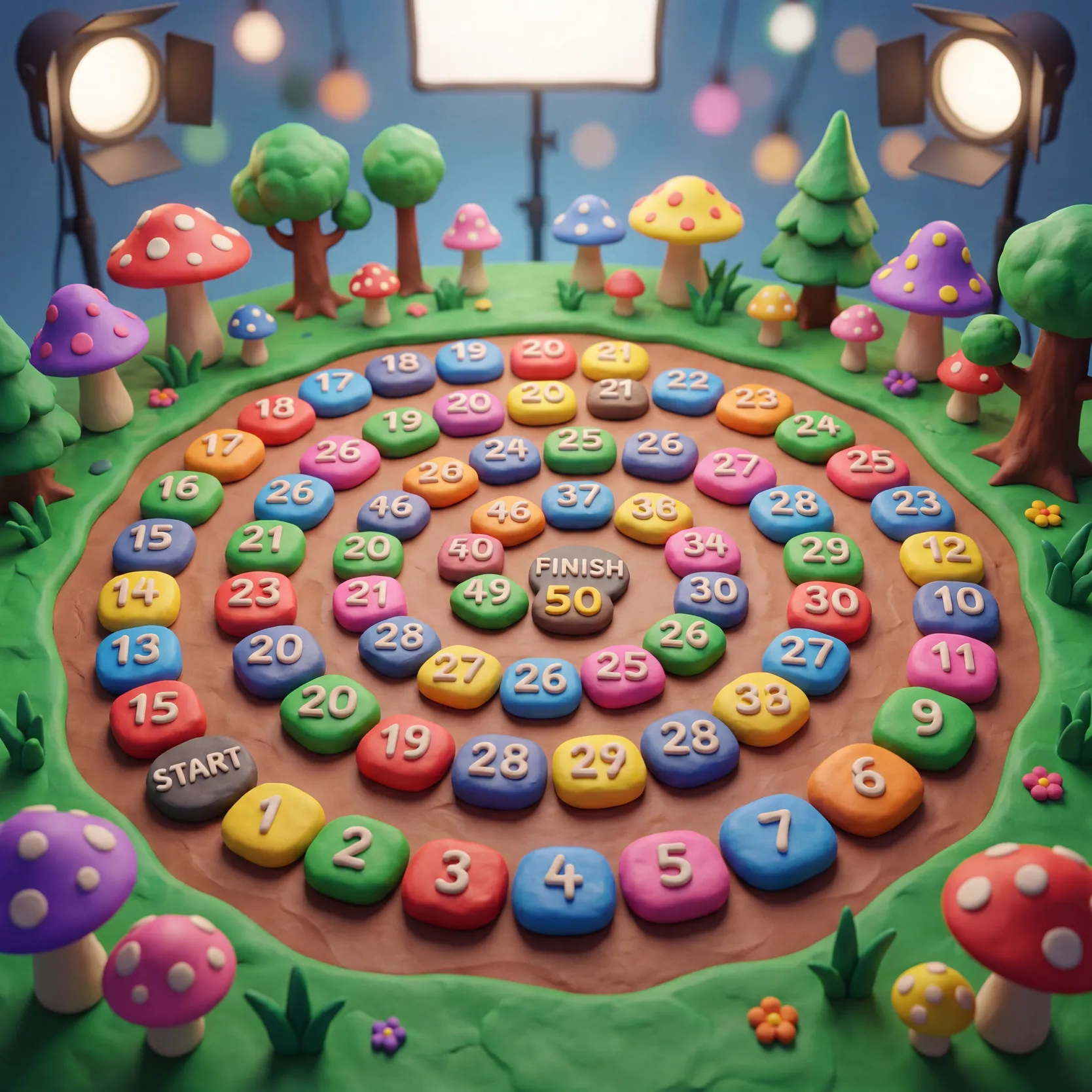
❌ ChatGPT Images 2 (without underdrawing)
I was so impressed with ChatGPT-Images-2 release I expected it to get this so I was genuinely surprised to see it fail here.
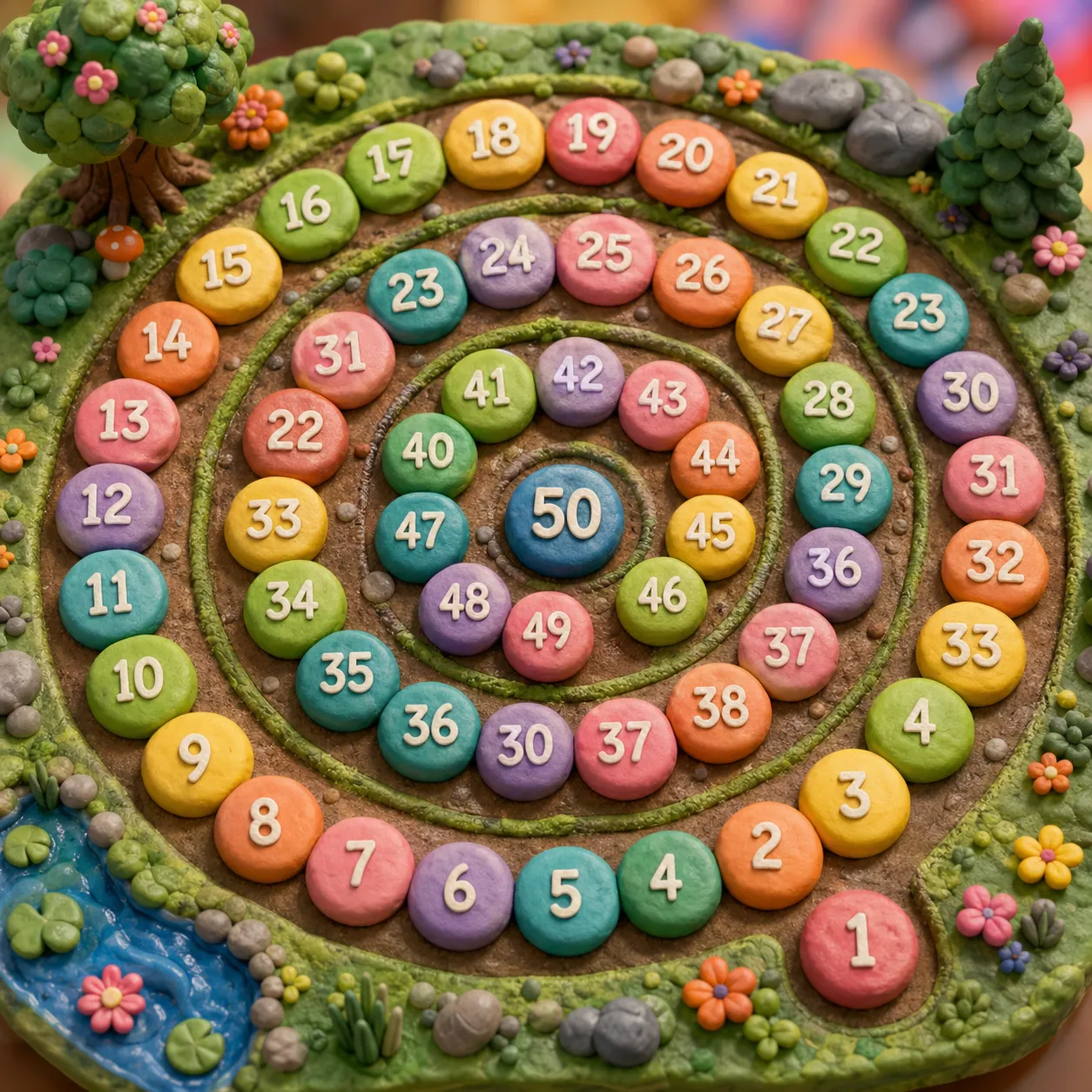
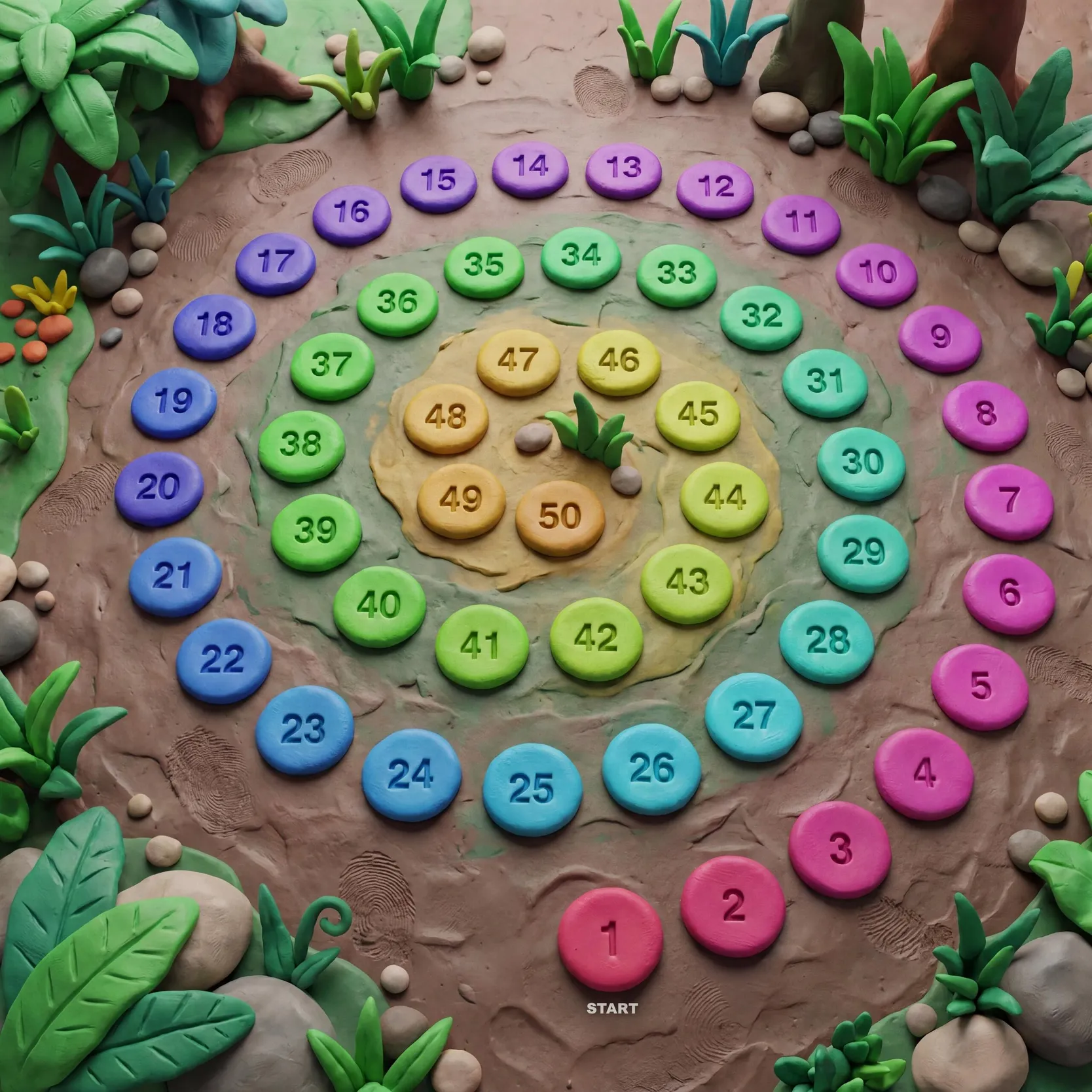
✅ Gemini 3.0 Pro (with my underdrawing method)
Bingo. Correct numbers, correct number and sequencing of stones, correct spiral shape.
So how does it work?
The main insight comes from the idea that we have two different methods for programmatic image generation, one using deterministic, algorithmic computation and the other using neural networks:
- Code-based rendering (SVG, etc.) makes dry visuals but with excellent geometric precision
- Image-gen models make stunning visuals but with unreliable geometry and text
And thanks to multi-modal LLMs, we can use both together:
- Use SVG to generate an outline image with precisely correct numbers and positions
- Pass that basic image to a big model to transform it into a richer visual while preserving the key details
Draw outline first, then paint on top
This is conceptually similar to how underdrawings were used back in the day.
Example
Here are the steps I took (with best effort to retrieve the actual prompts used) so you can follow the process.
|
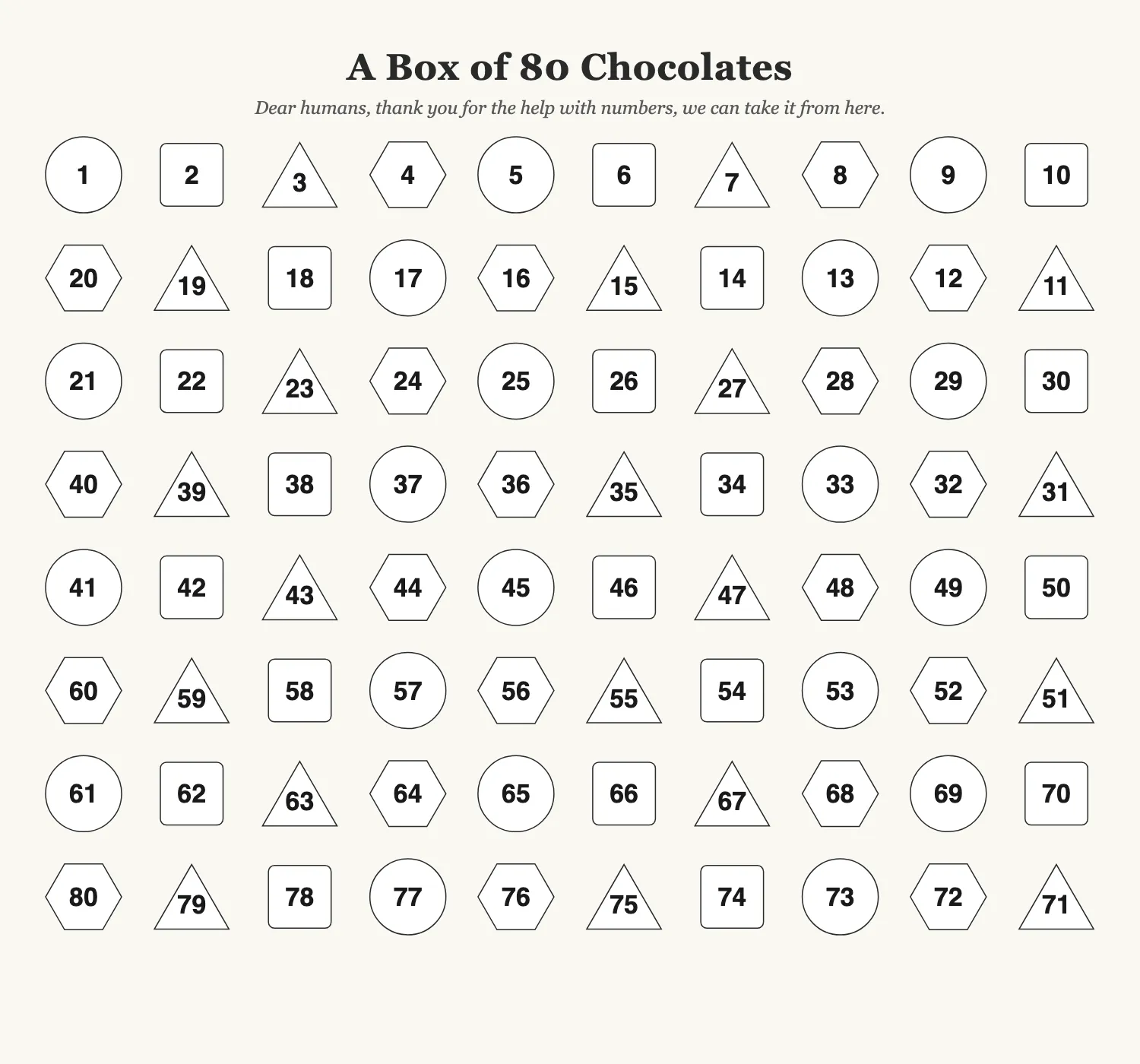
1. Generate the numbers and layout as an SVG
Prompt markdown |
|
2. Export a flat image Gemini wouldn’t accept SVG, so I asked Claude to screenshot the SVG in the browser and we used the PNG version as the underdrawing. |
|
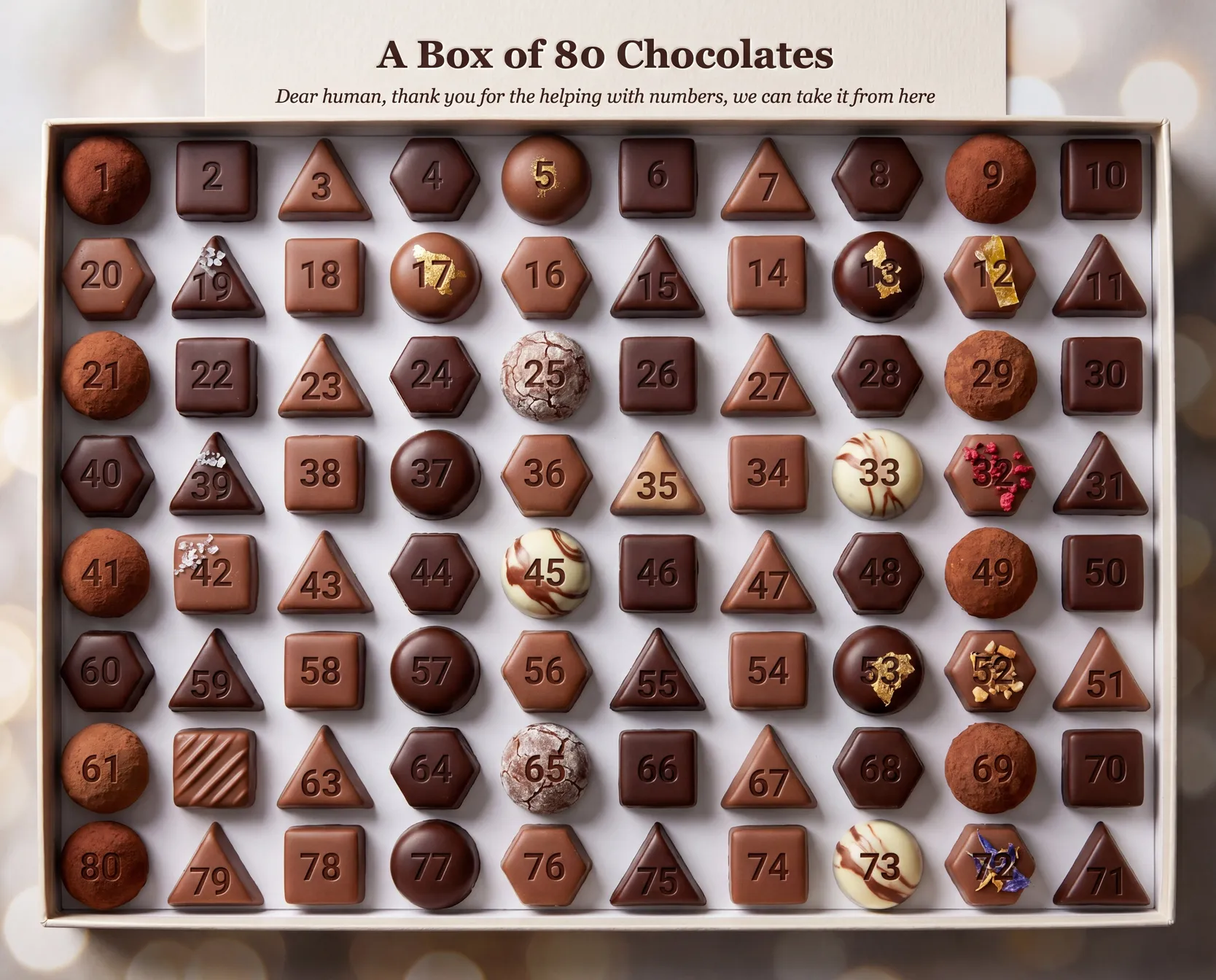
3. Upload the PNG to Gemini 3 Pro and prompt the look you want while preserving the numbers
Prompt markdown |
That’s it
It’s pretty simple conceptually. And using claude/codex to write the SVG and make the image calls to Gemini makes this pretty fast.
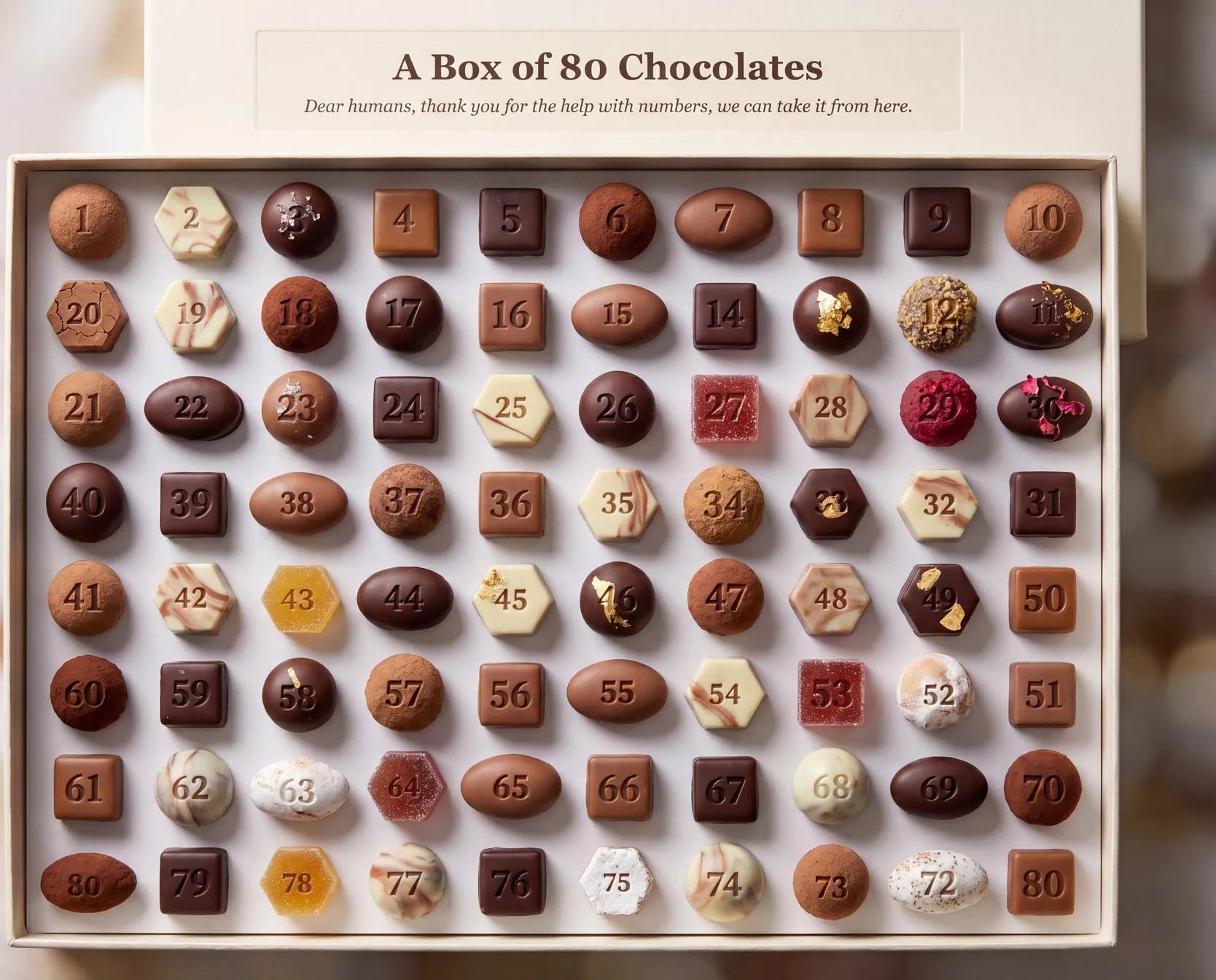
It won’t be perfect every time though. Even with heavily steering the image-model with an underdrawing, it would sometimes hallucinate in unexpected ways.
For example, look for number 71 here:
A more involved example
The method in the first example above works well for simpler examples. But as I was making the latest printable poster of a 100-step challenge board for my kid, it wasn’t enough. Those stray #71 issues would pop up, or a random number would get disfigured.
I eventually admitted defeat, and decided to add the final numbers on top of the rich artwork using SVG again.
This is my method for those more tricky cases.
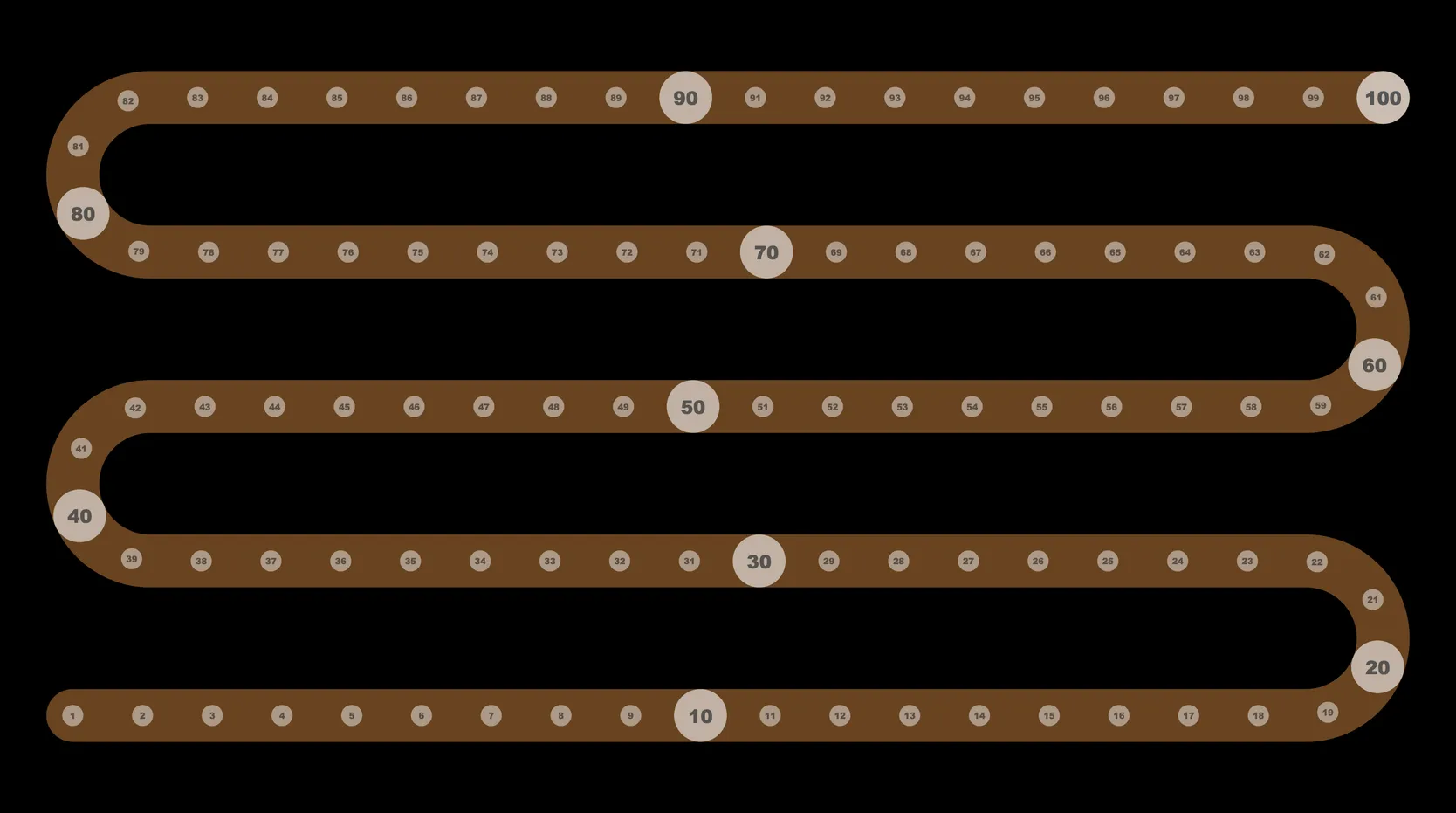
| 1. Create svg underdrawing, export as jpeg/png (same as Example 1) |
|
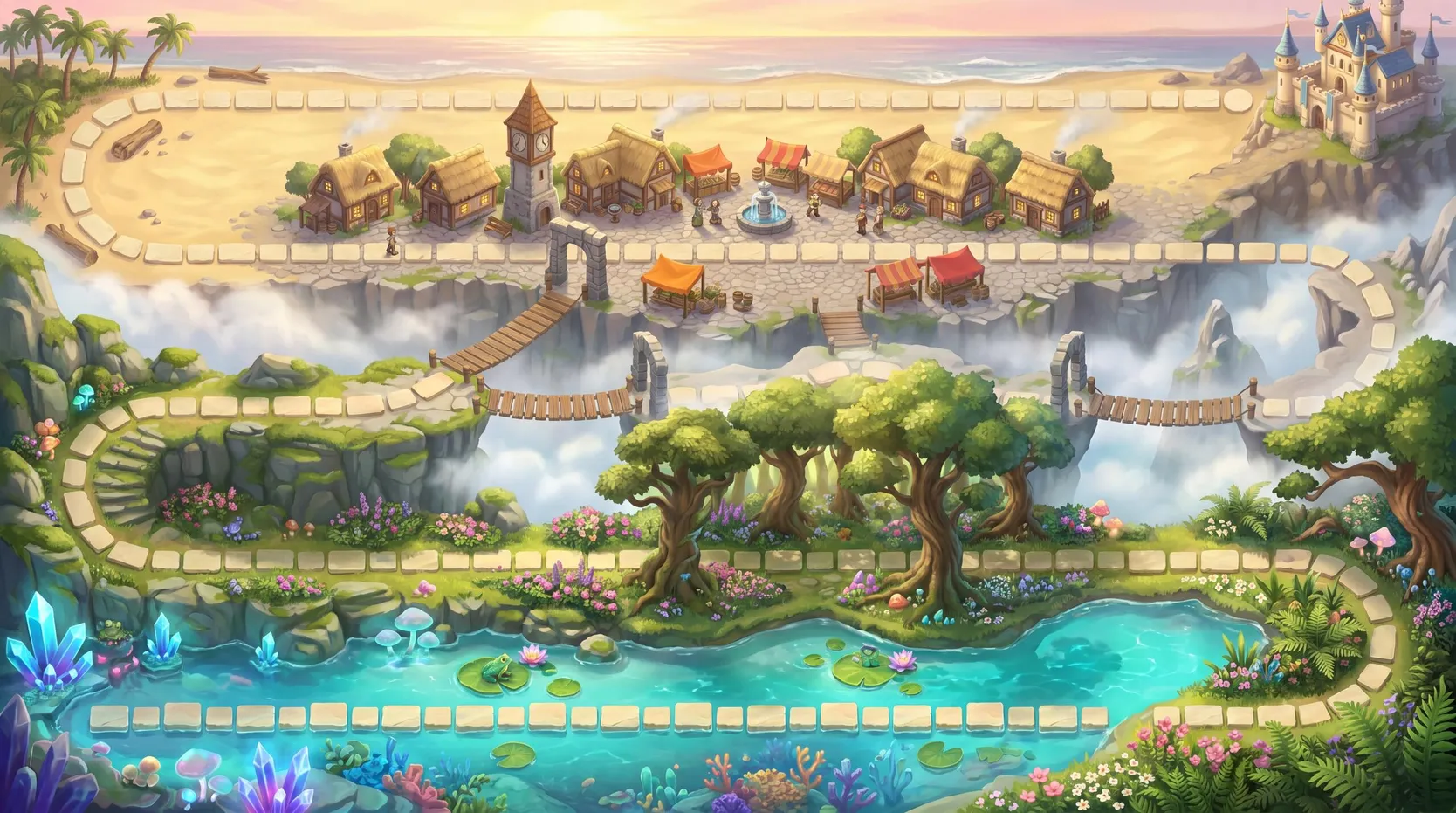
| 2. Transform with image model (same as Example 1 but prompt for no circles or numerals) |
|
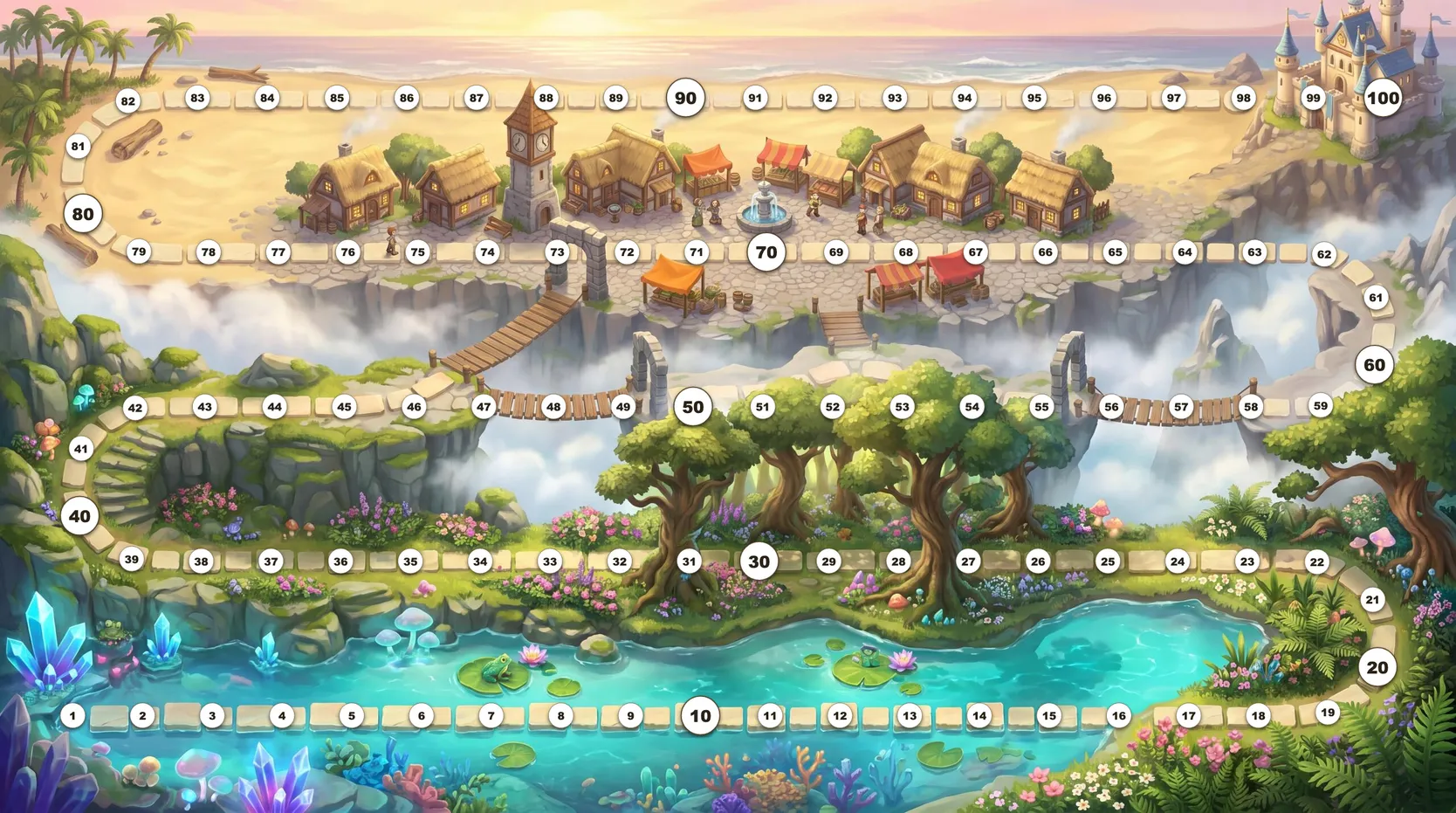
| 3. Composite SVG circles on top of the art Single html file with full-width art image, overlaid with the numbers svg from step 1 |
|
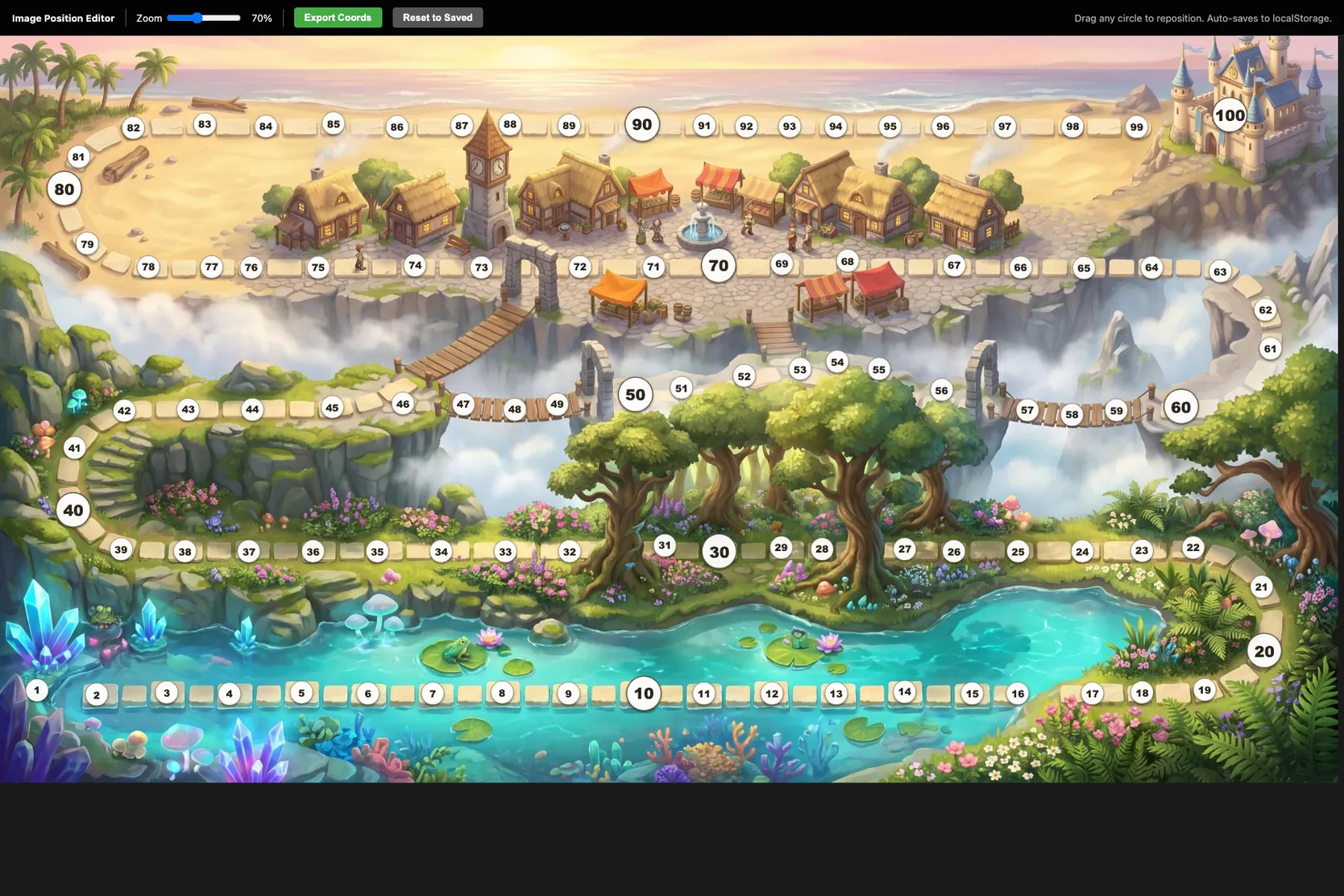
| 4. (If needed) Bespoke editor to adjust SVG positions
Make the svg in Step 3 draggable and export JSON coordinates. (demo) |
|
| 5. Export final image of composite artwork+svg layer using Step 4 positions |
|
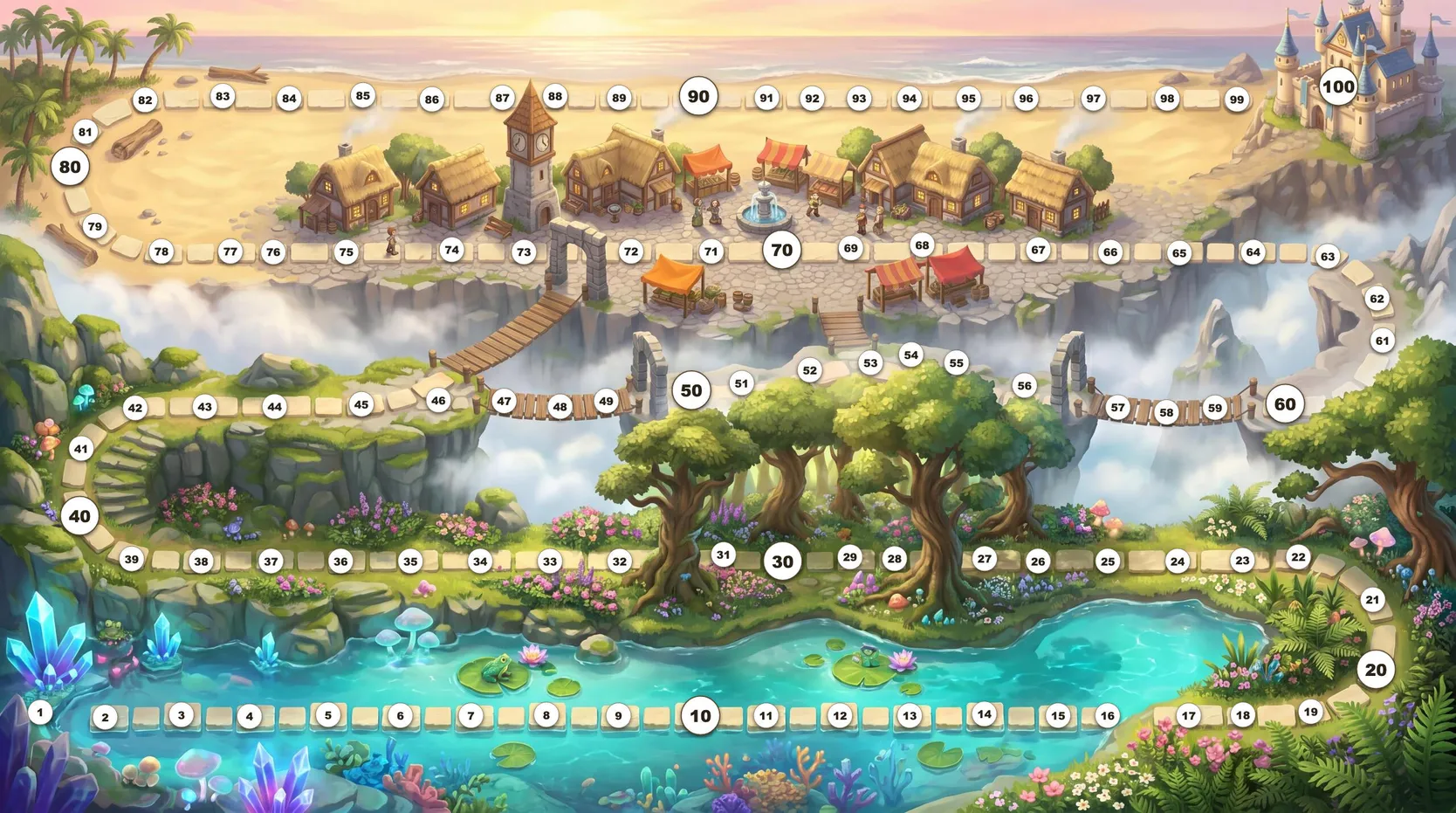
This method has more steps but guarantees the precision of the numbers.
The tradeoff is the visual numbers, being generated by SVG and not the image-gen model, are harder to blend into the artwork with the same quality.
But for making a poster for my 9-year-old, this works an absolute charm.